 |
PicoCamera 0.2.0
Camera library for RP2040 with an esp32-camera compatible API
|
GitHub |
|
PicoCamera 0.2.0
Camera library for RP2040 with an esp32-camera compatible API
|
GitHub |
English · 中文
A camera library for RP2040 with an API aligned with esp32-camera (esp_ prefix becomes pico_), based on PIO + DMA capture.
Sensor list aligned with esp32-camera (datasheet output-format wording normalized, e.g. YCbCr422 → YUV422, compression → JPEG); the last column shows PicoCamera's current support status:
| model | max resolution | color type | output format | PicoCamera support |
|---|---|---|---|---|
| OV2640 | 1600 x 1200 | color | YUV422/420 RGB565/555 JPEG RAW RGB (8/10-bit) | RGB565 YUV422 JPEG |
| OV3660 | 2048 x 1536 | color | RAW RGB RGB565/555/444 CCIR656 YUV422 JPEG | RGB565 YUV422 JPEG |
| OV5640 | 2592 x 1944 | color | RAW RGB RGB565/555/444 CCIR656 YUV422/420 JPEG | RGB565 YUV422 JPEG |
| OV7670 | 640 x 480 | color | RAW Bayer Processed Bayer YUV422 GRB422 RGB565/555 | RGB565 YUV422 |
| OV7725 | 640 x 480 | color | RAW RGB GRB422 RGB565/555/444 YUV422 | RGB565 (untested) |
| NT99141 | 1280 x 720 | color | YUV422 RGB565/555/444 RAW CCIR656 JPEG | ❌ Not supported yet |
| GC032A | 640 x 480 | color | YUV422 RAW Bayer RGB565 | RGB565 (untested) |
| GC0308 | 640 x 480 | color | YUV422 RAW Bayer RGB565 Grayscale | RGB565 YUV422 Grayscale |
| GC2145 | 1600 x 1200 | color | YUV422 RAW Bayer RGB565 | RGB565 YUV422 |
| BF3005 | 640 x 480 | color | YUV422 RAW Bayer RGB565 | ❌ Not supported yet |
| BF20A6 | 640 x 480 | color | YUV422 RAW Bayer Y-only | ❌ Not supported yet |
| SC101IOT | 1280 x 720 | color | YUV422 RAW RGB | ❌ Not supported yet |
| SC030IOT | 640 x 480 | color | YUV422 RAW Bayer | ❌ Not supported yet |
| SC031GS | 640 x 480 | monochrome | RAW MONO Grayscale | ❌ Not supported yet |
| HM0360 | 656 x 496 | monochrome | RAW MONO Grayscale | ❌ Not supported yet |
| HM1055 | 1280 x 720 | color | RAW (8/10-bit) YUV422 RGB565/555/444 | ❌ Not supported yet |
All supported sensors also expose set_reg/get_reg-style raw register access; more sensor controls are ported on demand.
Requesting JPEG on a sensor without a JPEG encoder (e.g. OV7670, GC2145, GC0308, GC032A) makes pico_camera_init() fail with PICO_CAMERA_ERR_NOT_SUPPORTED — same behavior as esp32-camera. A frame_size beyond the sensor's maximum is clamped to the maximum with a warning instead of failing.
PicoCamera is published in the Arduino Library Manager: open Sketch → Include Library → Manage Libraries..., search for PicoCamera and click Install.
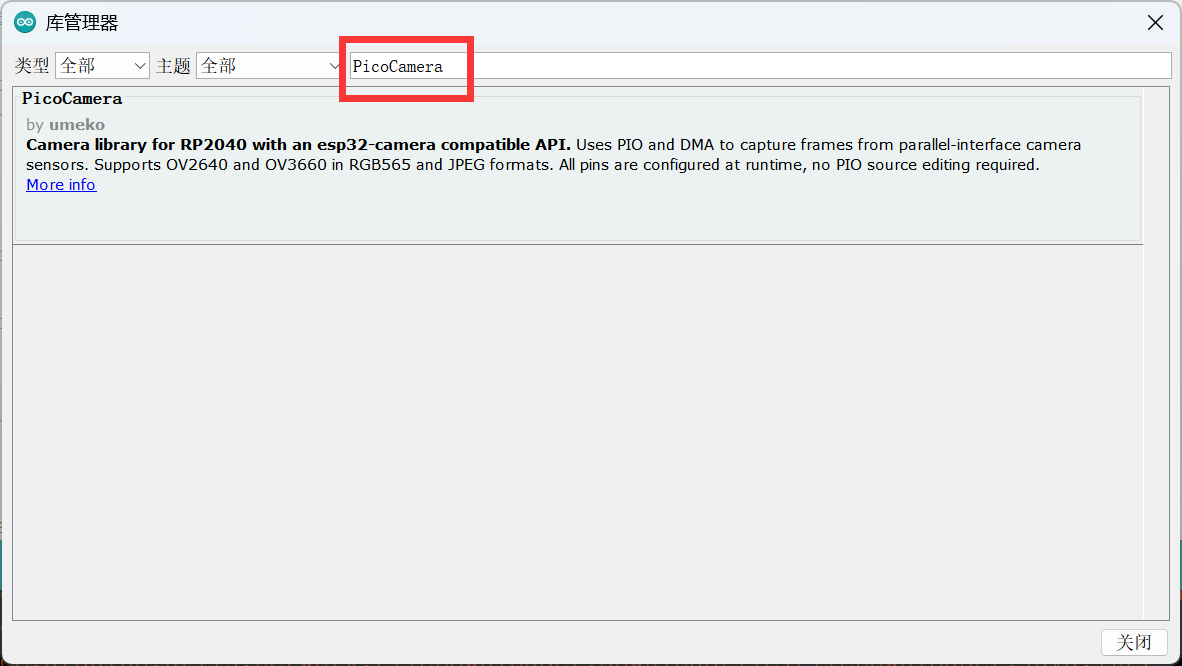
Manual install also works: put this repository into Arduino/libraries/, or zip it and use "Add .ZIP Library".
PicoCamera is published in the PlatformIO Registry:
A git URL (lib_deps = https://github.com/umeiko/PicoCamera.git) or a local file:// path works too.
The library is pure Pico SDK code (no Arduino dependency), so bare CMake projects can consume it directly (SDK ≥ 1.5.0):
See examples/pico_sdk_capture for a complete project, and the user guide for details.
Both Arduino/PlatformIO require the earlephilhower arduino-pico core.
Newer arduino-pico releases may bundle a copy of PicoCamera. A copy you install yourself (Library Manager, PlatformIO lib_deps, git) always takes priority over the bundled one, so you can track the latest release without waiting for a core release. To check which version your sketch compiled against, use the macros from pico_camera.h:
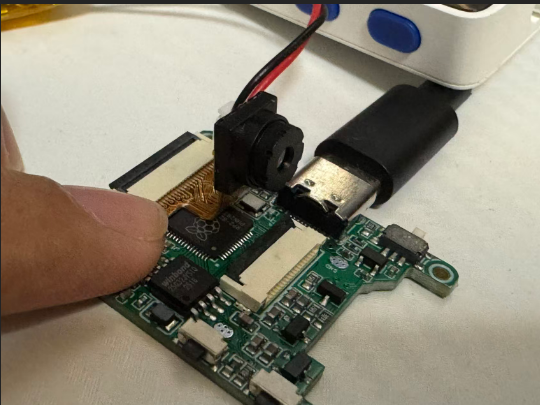
An RP2040 board with an OV2640/OV3660 camera module over FPC
Sensor control, esp32-camera style:
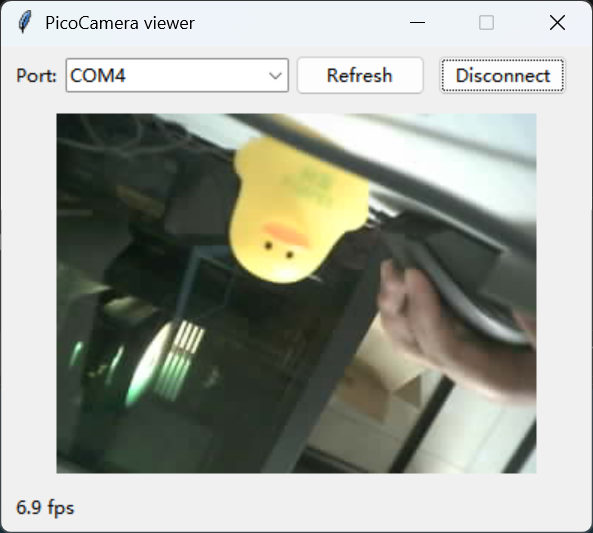
push_image_to_python: a live OV2640 JPEG stream rendered by the Python viewer
MIT