ESP32-S3 boards
Boards built on ESP32-S3 modules with octal PSRAM (N16R8 / N8R8). Each section lists its flash package, wiring and pinout table.
esp32s3-st7789-320_240-ec11
Flash package: ESP-IDFv5.5-esp32s3-st7789-320_240-ec11.zip
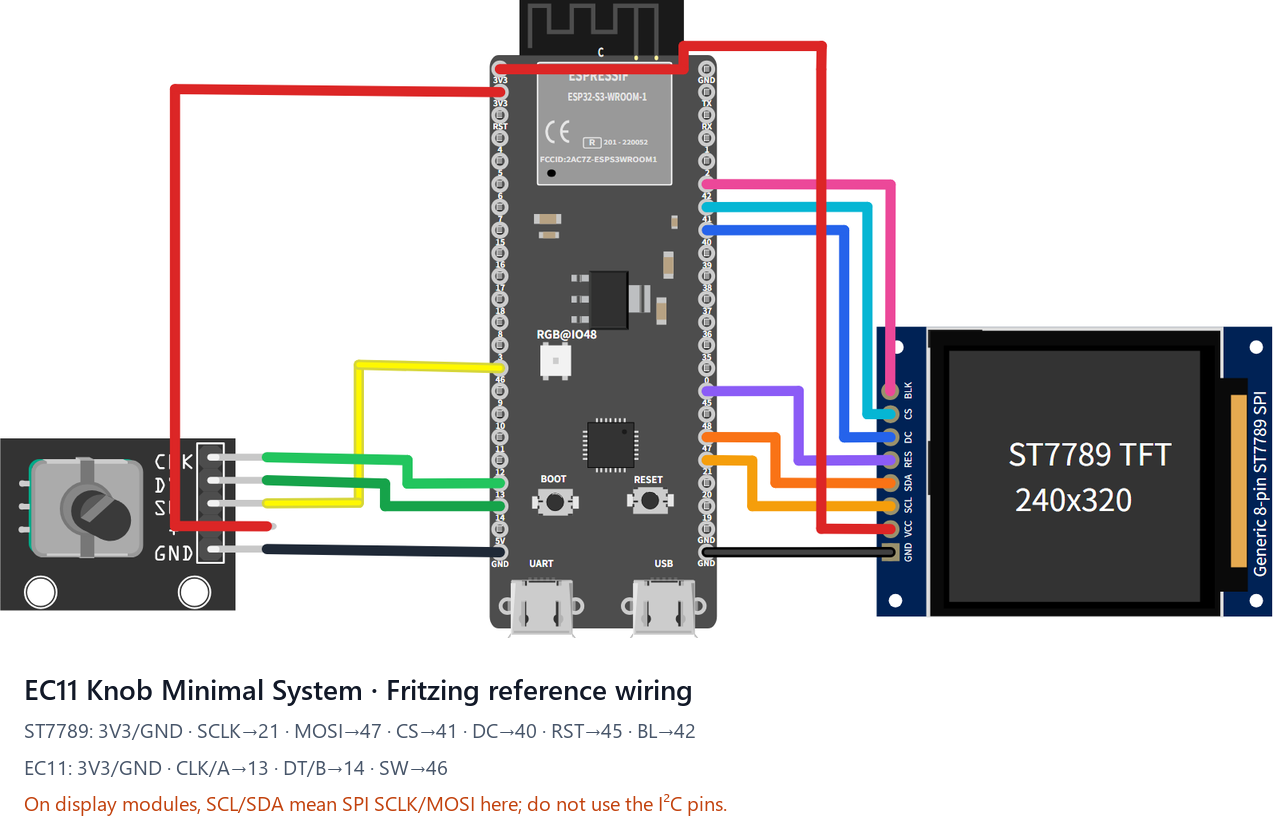
This official reference can be assembled directly with jumper wires: ESP32-S3-DevKitC-1 N16R8 + an 8-pin 240×320 ST7789 SPI display + a KY-040/EC11 encoder module. Logical resolution is 320×240 landscape.
Download and edit the Fritzing source (.fzz), or inspect the SVG exported by Fritzing. The drawing uses a generic 8-pin ST7789 module with the same pin order; PCB shape, colour, and label placement vary between sellers.
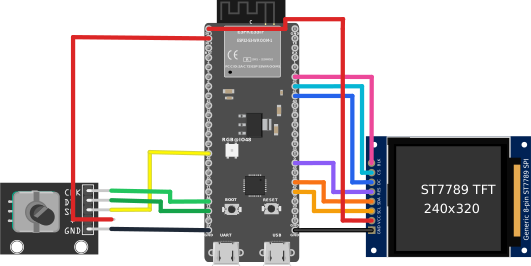
| Module pin | ESP32-S3 pin | Purpose |
|---|---|---|
| ST7789 GND | GND | Ground |
| ST7789 VCC | 3V3 | Display power |
| ST7789 SCL / SCK | GPIO21 | SPI clock |
| ST7789 SDA / MOSI | GPIO47 | SPI data out |
| ST7789 CS | GPIO41 | Chip select |
| ST7789 DC / RS | GPIO40 | Data/command select |
| ST7789 RST / RES | GPIO45 | Display reset |
| ST7789 BL / LED / BLK | GPIO42 | Backlight, active high |
| EC11 CLK / A | GPIO13 | Encoder phase A |
| EC11 DT / B | GPIO14 | Encoder phase B |
| EC11 SW / KEY | GPIO46 | Encoder press |
| EC11 + / VCC | 3V3 | Module power |
| EC11 GND | GND | Ground |
| Screen-off button (add-on) | GPIO39 → button → GND | One-key screen off / wake; internal pull-up, active-low |
Power the DevKit from USB-C. Many SPI display boards label clock and data as SCL and SDA; here they still mean SPI SCLK and MOSI, not I2C. Rotation and press provide all navigation, and either action wakes the display after its timeout. This target has no touch layer and never enters touch calibration.
Screen-off / wake buttons. Wire a momentary button between GPIO39 and GND (the firmware enables the internal pull-up; the press pulls the pin low, release returns high). Press once to blank the screen, press again to wake. The DevKit's on-board BOOT key (GPIO0) works the same way — both buttons are active in parallel, and either one toggles the screen.
esp32s3-st7796-480_320-xpt2046-ec11
Flash package: ESP-IDFv5.5-esp32s3-st7796-480_320-xpt2046-ec11.zip
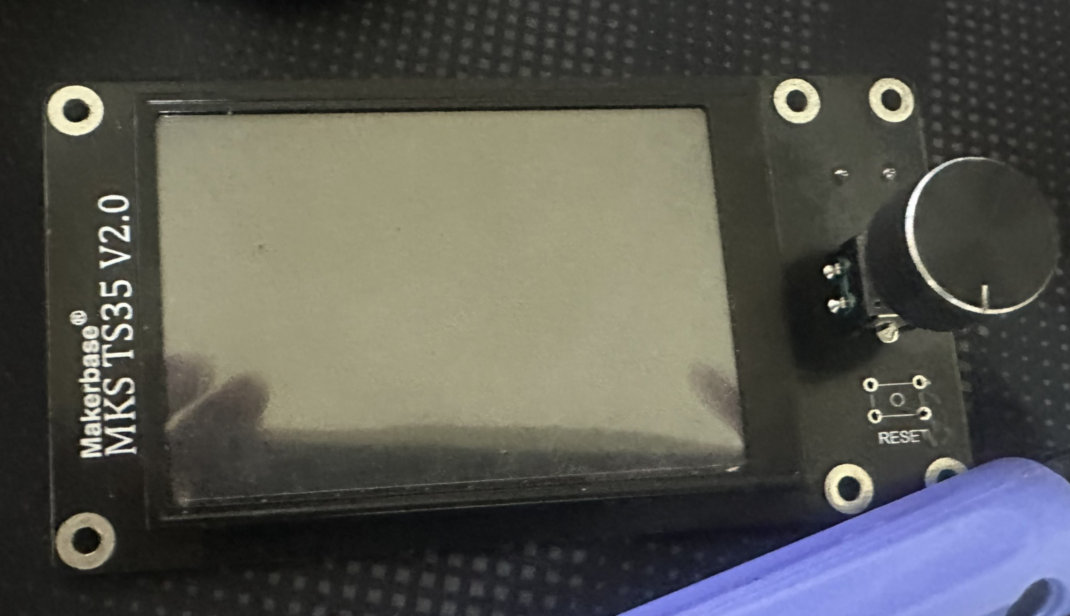
A typical board for this target — the Makerbase MKS TS35 V2.0: 480×320 ST7796S display with XPT2046 resistive touch and an integrated EC11 encoder knob.
A 480×320 resistive-touch build on the same ESP32-S3-DevKitC-1 N16R8 base as esp32s3-st7789-320_240-ec11: an ST7796S SPI display and an XPT2046 touch controller sharing one SPI bus, plus the EC11 encoder on the unchanged reference pins. Logical resolution 480×320 landscape (same layout class as the E32R35T). Factory touch calibration is pre-installed; recalibrate any time via the serial CLI caltouch — the result is stored in touch.json and loaded on boot.
| Module pin | ESP32-S3 pin | Purpose |
|---|---|---|
| SCK | GPIO21 | SPI clock — display + touch shared |
| MOSI (SDA / DIN) | GPIO47 | SPI data out — display data + touch DIN shared |
| MISO (DOUT) | GPIO2 | SPI data in — XPT2046 coordinate readback |
| TFT_CS | GPIO41 | Display chip select |
| TFT_DC (RS / A0) | GPIO40 | Data/command select |
| TOUCH_CS | GPIO1 | Touch controller chip select |
| RST / RES | GPIO45 | Display reset; optional — tie to 3.3V or share the MCU reset (the driver also issues a software reset) |
| BL / LED / BLK | GPIO42 | Backlight, active high (LEDC PWM) |
| TOUCH_INT (T_IRQ) | — | Leave unconnected — the driver polls; touch wake/tap/drag all work without it |
| EC11 CLK / A | GPIO13 | Encoder phase A |
| EC11 DT / B | GPIO14 | Encoder phase B |
| EC11 SW / KEY | GPIO46 | Encoder press |
| EC11 + / VCC | 3V3 | Module power |
| EC11 GND / C | GND | Common contact of A/B/SW to GND |
| Screen-off button (add-on) | GPIO39 → button → GND | One-key screen off / wake; internal pull-up, active-low. The on-board BOOT key (GPIO0) works the same way |
Power the DevKit over USB-C. Both touch and the encoder work at the same time — the touch drives pointer gestures and the encoder drives the focus navigation. If your unit looks flipped, toggle Settings → Display → 180° rotation instead of rewiring.
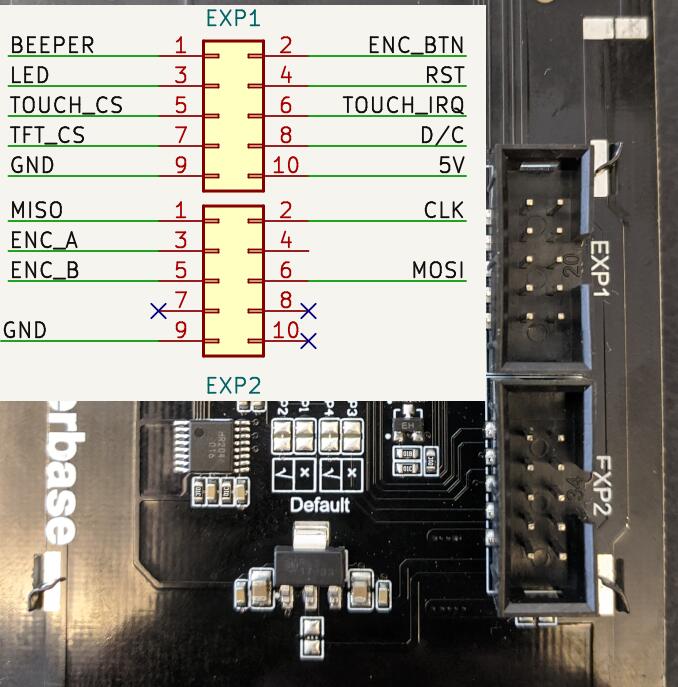
This configuration drives the Makerbase MKS TS35 V2.0 as-is — wire it according to this photo:
esp32s3-ILI9488-480_320-xpt2046-ec11
Flash package: ESP-IDFv5.5-esp32s3-ILI9488-480_320-xpt2046-ec11.zip
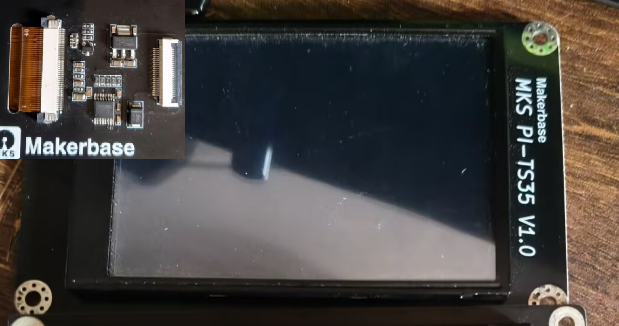
A typical board for this target — the Makerbase MKS PI-TS35 V1.0: a 3.5" 480×320 ILI9488 SPI display with XPT2046 resistive touch (the stock screen of the MKS PI / SKIPR Klipper host boards). Any ILI9488 + XPT2046 SPI module works the same way.
An ILI9488 twin of esp32s3-st7796-480_320-xpt2046-ec11: same ESP32-S3-DevKitC-1 N16R8 base, same wiring — the display and the XPT2046 share one SPI bus, the EC11 encoder sits on the unchanged reference pins. Logical resolution 480×320 landscape. With no factory touch data for this panel, first boot runs the two-point touch calibration automatically; the result is stored in touch.json, and the serial CLI caltouch forces recalibration any time.
| Module pin | ESP32-S3 pin | Purpose |
|---|---|---|
| SCK | GPIO21 | SPI clock — display + touch shared |
| MOSI (SDA / DIN) | GPIO47 | SPI data out — display data + touch DIN shared |
| MISO (DOUT) | GPIO2 | SPI data in — XPT2046 coordinate readback |
| TFT_CS | GPIO41 | Display chip select |
| TFT_DC (RS / A0) | GPIO40 | Data/command select |
| TOUCH_CS | GPIO1 | Touch controller chip select |
| RST / RES | GPIO45 | Display reset; optional — tie to 3.3V or share the MCU reset (the driver also issues a software reset) |
| BL / LED / BLK | GPIO42 | Backlight, active high (LEDC PWM) |
| TOUCH_INT (T_IRQ) | — | Leave unconnected — the driver polls; touch wake/tap/drag all work without it |
| EC11 CLK / A | GPIO13 | Encoder phase A |
| EC11 DT / B | GPIO14 | Encoder phase B |
| EC11 SW / KEY | GPIO46 | Encoder press |
| EC11 + / VCC | 3V3 | Module power |
| EC11 GND / C | GND | Common contact of A/B/SW to GND |
| Screen-off button (add-on) | GPIO39 → button → GND | One-key screen off / wake; internal pull-up, active-low. The on-board BOOT key (GPIO0) works the same way |
ILI9488 specifics handled by the firmware:
- Over 4-wire SPI the ILI9488 only accepts 18-bit RGB666 pixels (COLMOD=0x66). The panel driver (atanisoft/esp_lcd_ili9488) converts the framebuffer from RGB565 internally
- If the picture on your unit looks like a negative or is flipped, use Settings → Display → Invert colours / 180° rotation / Mirror horizontally — no reflash needed
- The PI-TS35 plugs into a 2×20 header on the MKS PI host; to wire it to the DevKit, match the header nets (SCK/MOSI/MISO/CS/DC/RST/BL/T_CS) to the table above using the MKS-TFT-Hardware schematic
esp32s3-ILI9341-320_240-xpt2046-ec11
Flash package: ESP-IDFv5.5-esp32s3-ILI9341-320_240-xpt2046-ec11.zip
A 320×240 resistive-touch build on the ESP32-S3-DevKitC-1 N16R8 base: an ILI9341 SPI display and an XPT2046 touch controller sharing one SPI bus, plus an EC11 encoder on the side. Logical resolution 320×240 landscape. With no factory touch data, first boot runs the two-point touch calibration automatically; the result is stored in touch.json, and the serial CLI caltouch forces recalibration any time.
| Module pin | ESP32-S3 pin | Purpose |
|---|---|---|
| SCK | GPIO21 | SPI clock — display + touch shared |
| MOSI (SDA / DIN) | GPIO47 | SPI data out — display data + touch DIN shared |
| MISO (DOUT) | GPIO2 | SPI data in — XPT2046 coordinate readback |
| TFT_CS | GPIO41 | Display chip select |
| TFT_DC (RS / A0) | GPIO40 | Data/command select |
| TOUCH_CS | GPIO1 | Touch controller chip select |
| RST / RES | GPIO45 | Display reset; optional — tie to 3.3V or share the MCU reset (the driver also issues a software reset) |
| BL / LED / BLK | GPIO42 | Backlight, active high (LEDC PWM) |
| TOUCH_INT (T_IRQ) | — | Leave unconnected — the driver polls; touch wake/tap/drag all work without it |
| EC11 CLK / A | GPIO13 | Encoder phase A |
| EC11 DT / B | GPIO14 | Encoder phase B |
| EC11 SW / KEY | GPIO46 | Encoder press |
| EC11 + / VCC | 3V3 | Module power |
| EC11 GND / C | GND | Common contact of A/B/SW to GND |
| Screen-off button (add-on) | GPIO39 → button → GND | One-key screen off / wake; internal pull-up, active-low. The on-board BOOT key (GPIO0) works the same way |
Power the DevKit over USB-C. The panel uses BGR colour order with inversion off; if the picture on your unit looks like a negative or is flipped, use Settings → Display → Invert colours / 180° rotation / Mirror horizontally — no reflash needed.
JC8048W550
Flash package: ESP-IDFv5.5-jc8048w550.zip
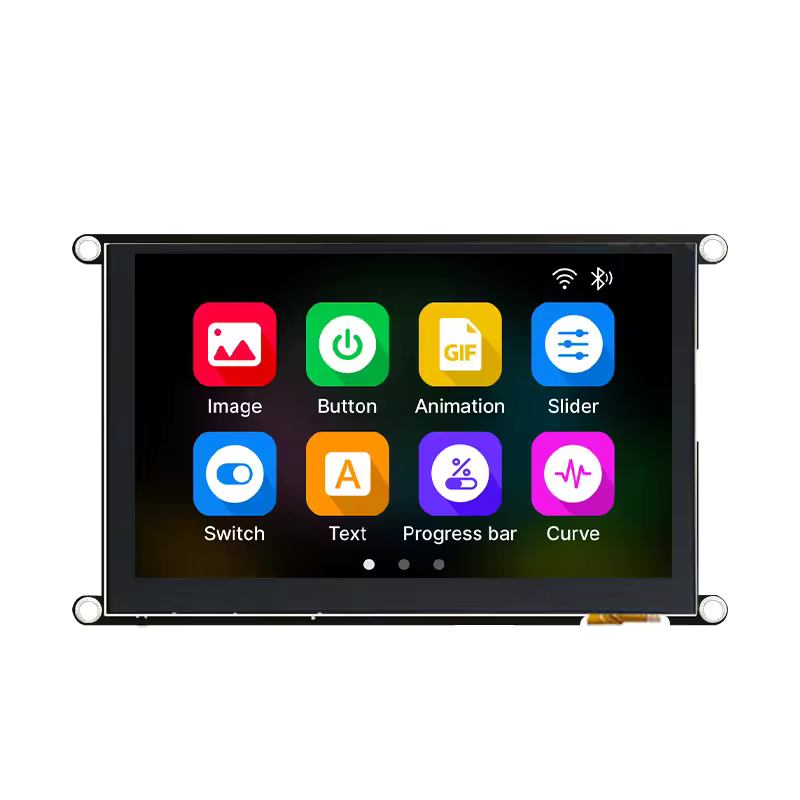
Guition 5" capacitive display module (ESP32-S3). Photo: openHASP hardware page
Logical resolution 800×480.
- MCU: ESP32-S3, 16MB flash + PSRAM (dual framebuffers, 2×768KB in PSRAM)
- Display: ST7262 RGB parallel (RGB565), PCLK must be 16MHz; custom rgb44 driver
- Touch: GT911 capacitive, I2C0, polled without INT, no calibration needed
- Backlight: GPIO2, active high
| Function | GPIO |
|---|---|
| LCD DE / VSYNC / HSYNC / PCLK | 40 / 41 / 39 / 42 |
| LCD B0..B4 | 8, 3, 46, 9, 1 |
| LCD G0..G5 | 5, 6, 7, 15, 16, 4 |
| LCD R0..R4 | 45, 48, 47, 21, 14 |
| LCD backlight | 2 |
| Touch SDA / SCL / RST | 19 / 20 / 38 |
| BOOT button (screen off / wake) | 0 |
SenseCAP Indicator
Flash package: ESP-IDFv5.5-esp32s3-sensecap-indicator.zip
Seeed SenseCAP Indicator (the D1/D1S/D1L/D1Pro variants share the same display hardware): a 4" 480×480 square capacitive display with an ESP32-S3 + RP2040 dual-MCU design. Hardware docs: Seeed Wiki.
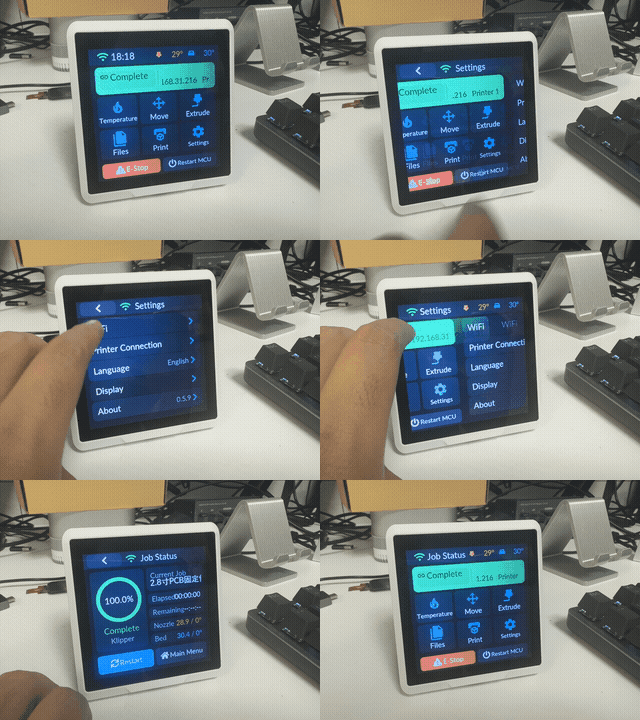
Logical resolution 480×480.
- MCU: ESP32-S3-WROOM-1-N8R8, 8MB QIO flash + 8MB Octal PSRAM @ 80MHz
- Display: ST7701S RGB parallel (RGB565), PCLK 12MHz (~42fps); same custom rgb44 driver as JC8048W550 (LVGL DIRECT double framebuffer in PSRAM). Panel init runs over bit-banged 3-wire 9-bit SPI — SCK/MOSI are real GPIOs while CS/RST sit on the TCA9535 expander
- IO expander: TCA9535 on I2C0 (probed at 0x20, falls back to 0x39 for later batches); it also holds the RP2040 reset line (driven high to release it — the RP2040 runs its own factory firmware, unrelated to this project)
- Touch: FT5x06 capacitive, shares I2C0 with the expander, TP_RST also on the expander (pulsed before driver init), no calibration needed
- Backlight: GPIO45, LEDC PWM, active high
- Screen off / wake: side button (GPIO38, active low)
- Flash via the "USB-SERIAL" (CH340) Type-C port — the ESP32-S3 side, console on UART0 @ 115200. The other port is the RP2040's native USB: do not use it
| Function | GPIO | Notes |
|---|---|---|
| LCD HSYNC / VSYNC / DE / PCLK | 16 / 17 / 18 / 21 | RGB parallel |
| LCD B0..B4 | 15, 14, 13, 12, 11 | |
| LCD G0..G5 | 10, 9, 8, 7, 6, 5 | |
| LCD R0..R4 | 4, 3, 2, 1, 0 | |
| LCD backlight | 45 | LEDC PWM, active high |
| Init SPI SCK / MOSI | 41 / 48 | Bit-banged 3-wire 9-bit |
| LCD CS / LCD RST | TCA9535 P4 / P5 | IO expander, I2C 0x20 (0x39 on some batches) |
| TP RST / RP2040 RST | TCA9535 P7 / P8 | |
| Touch + expander SDA / SCL | 39 / 40 | I2C0 @ 100kHz |
| Side button (screen off / wake) | 38 | Active low, internal pull-up |
JLC SZP ESP32-S3
Flash package: ESP-IDFv5.5-esp32s3-JLC-SZP.zip
LCSC "ShiZhanPai" (立创实战派) ESP32-S3 development board with an on-board 2.0" capacitive display.
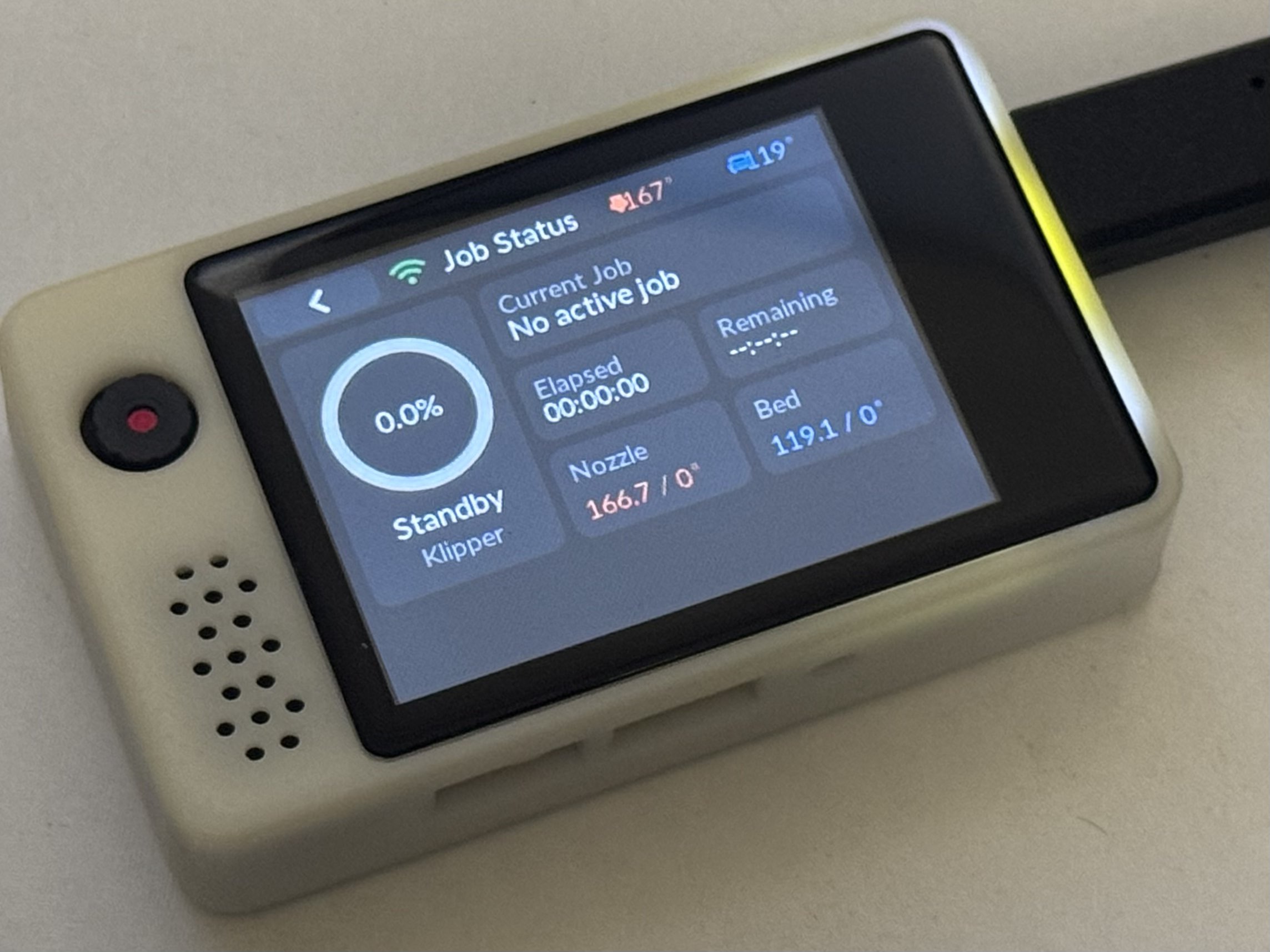
Logical resolution 320×240 landscape.
- MCU: ESP32-S3-WROOM-1-N16R8, 16MB QIO flash + 8MB Octal PSRAM @ 80MHz
- Display: ST7789 (240×320 native), SPI3 @ 80MHz mode 3, DMA double buffering (2 × 40 lines); BGR, landscape MADCTL=0x68 (MX|MV|BGR), INVON required
- LCD CS is not a GPIO: it sits on a PCA9557 (I2C 0x19) P0, and the panel requires a CS falling edge on every SPI transaction — so this board does not use the esp_lcd panel driver; CS/DC are toggled manually around plain SPI-master transfers. No RST pin: the init sequence starts with SWRESET (0x01)
- Touch: FT6336 capacitive, on the same I2C0 bus as the PCA9557, polled without INT/RST, no calibration needed
- Backlight: GPIO42, LEDC PWM 10bit/5kHz, active low (driven with
output_invert) - Screen off / wake: on-board user button (GPIO0)
| Function | GPIO | Notes |
|---|---|---|
| LCD MOSI / SCLK / DC | 40 / 41 / 39 | SPI3 @ mode 3, no MISO |
| LCD CS | PCA9557 P0 (I2C 0x19) | Toggled per transaction (idle high); P1 left as input, P2=0 camera/TFT power |
| LCD RST | — | Not connected; init must issue SWRESET |
| LCD backlight | 42 | LEDC PWM, active low |
| Touch / PCA9557 SDA / SCL | 1 / 2 | I2C0 @ 100kHz |
| User button (screen off / wake) | 0 | Active low, internal pull-up |
esp32s3-retro-go
Flash package: ESP-IDFv5.5-esp32s3-retro-go.zip
Chaeng's retro-go ESP32-S3 handheld main board (T320-S3): 3.2" IPS display plus a full gamepad-style button cluster, no touch. Firmware source of the pinout: retro-go_chaeng (components/retro-go/targets/t320-s3); open hardware page: oshwhub.com/chaeng/project_jofcnupz.
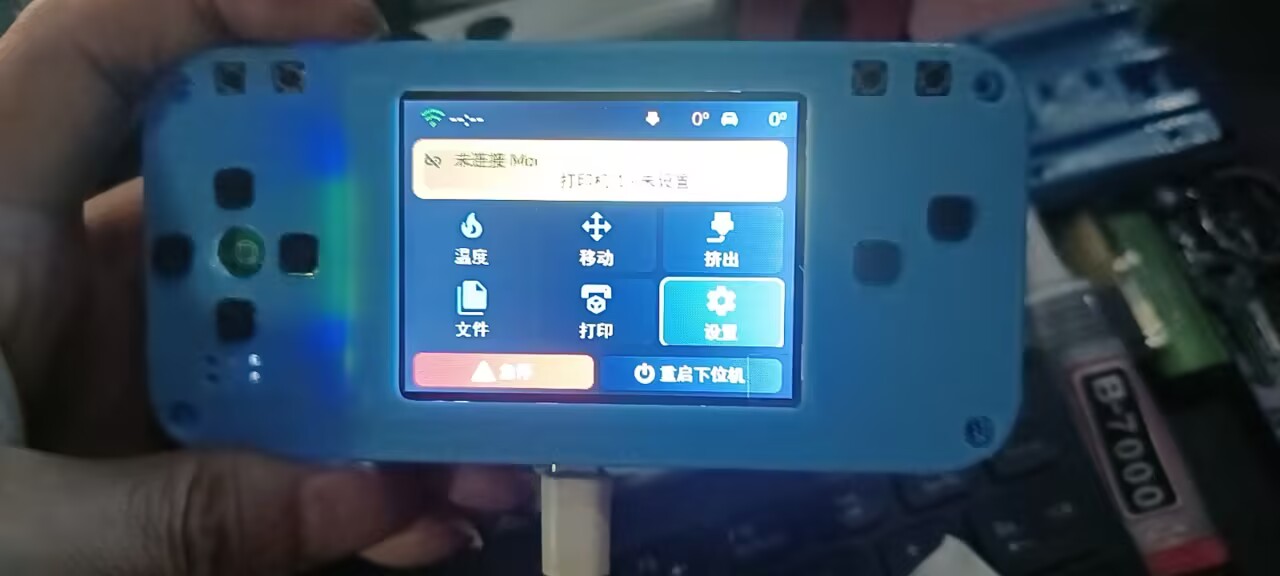
Logical resolution 320×240 landscape.
- MCU: ESP32-S3 (dual-core 240MHz), 16MB QIO flash + 8MB Octal PSRAM @ 80MHz
- Display: T320B7-C12-16 3.2" IPS (ST7789, native 240×320), SPI2 @ 40MHz, DMA double buffering (2 × 40 lines); RGB colour order, landscape MADCTL (MV|MY), INVON required
- Input: no touch layer — navigation runs entirely on the on-board GPIO buttons through the semantic 6-key layer (up / down / left / right / OK / back). OK is bound to A, START and SELECT in parallel (any of the three confirms), BACK is B. All buttons use the internal pull-up and are active-low. KEY_MENU (GPIO18), KEY_OPTION (GPIO8) and KEY_BOOT (GPIO0) are reserved and unmapped
- Backlight: GPIO39, LEDC PWM 8bit/5kHz, active high
- The SD slot, I2S speaker, microphone, battery ADC and WS2812 status LED exist on the board but are unused by this firmware
| Function | GPIO | Used by this firmware |
|---|---|---|
| TFT MOSI / CLK | 12 / 48 | Yes — SPI2 @ 40MHz |
| TFT CS / DC / RST | 14 / 47 / 3 | Yes |
| TFT backlight | 39 | Yes — active high |
| UP / DOWN / LEFT / RIGHT | 7 / 20 / 19 / 6 | Yes — focus navigation |
| A / START / SELECT | 15 / 17 / 16 | Yes — all three are OK (confirm) |
| B | 5 | Yes — BACK |
| MENU / OPTION / BOOT | 18 / 8 / 0 | No — reserved, unmapped |
| SD CMD(MOSI) / CLK / DATA(MISO) / CD(CS) | 11 / 13 / 9 / 10 | No (SDSPI on SPI3) |
| Speaker DOUT / BCLK / LRCK | 40 / 41 / 42 | No (I2S) |
| MIC WS / SCK / DIN | 1 / 2 / 21 | No |
| Battery voltage ADC | 4 | No (ADC1_CH3) |
| STATUS_LED (WS2812) | 38 | No |
Direction keys move the focus, OK activates the focused control, and BACK closes dialogs or returns to the previous panel — the same behaviour as the desktop keyboard. After the screen blanks on timeout, the first button press only wakes it.