Porting to your own board (beginner's tutorial)
This tutorial is for someone connecting an ESP32 display for the first time. The goal is to prove one layer at a time and finish with a board port that another person can understand and maintain.
Start from templates/board/. Its display section is a common SPI + ST7789 example, not a universal display implementation. A board using ILI9341, ST7796, I80 parallel, RGB parallel, QSPI, or MIPI needs the matching display path described below.
Input is a separate first decision in Step 5: choose the no-touch route for a rotary-only board, or the touch route and then match the controller as resistive or capacitive. A rotary encoder can be added to either touch route, so touch and rotary hardware can coexist.
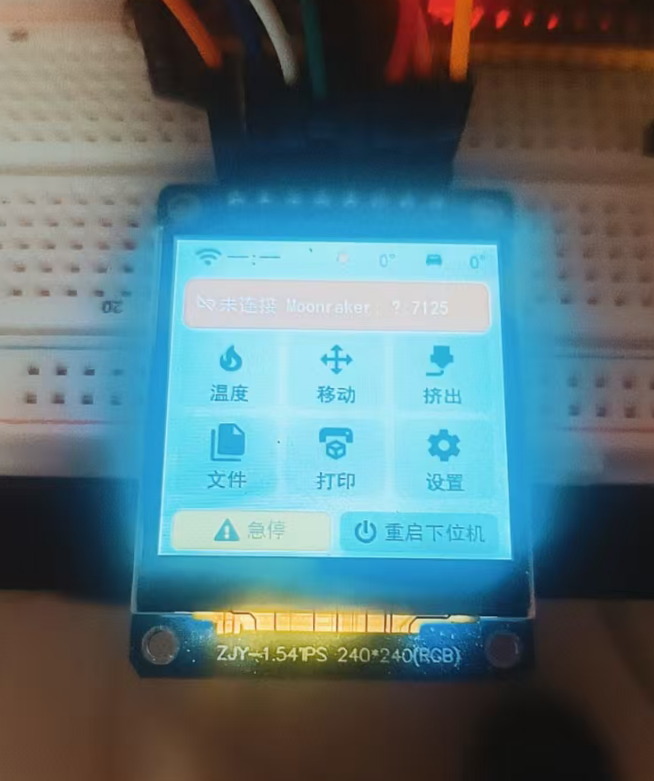
The port now has seven stages, each with a clear pass condition:
- Set up the toolchain and build an existing board.
- Identify the hardware and classify the display interface.
- Create and register a clean board scaffold.
- Bring up only the display with a stable solid-colour test.
- Connect the proven display transport to the BSP and LVGL, then add input.
- Build and verify the release firmware.
- Diagnose failures by stage and prepare a contribution.
Solve one layer at a time
Do not add touch, WiFi, Moonraker, and the full UI during display bring-up. A lit backlight does not prove that the LCD works; the backlight LED and LCD pixels are usually separate circuits.
Step 0: Set up the environment
0.1 Install ESP-IDF v5.5.5
This project is pinned to ESP-IDF v5.5.5.
- Windows: install v5.5.5 with Espressif's installer. The usual locations are
C:\esp\v5.5.5\esp-idfandC:\Espressif\tools. - Linux/macOS: use the
install.shincluded with that ESP-IDF version.
The repository's tools/idf.ps1, tools/idf-env.bat, and build scripts activate the environment. You do not need to modify PATH permanently.
0.2 Clone the project and verify the toolchain
git clone https://github.com/umeiko/KlipperScreen-esp.git
cd KlipperScreen-esp
bash tools/build-esp32.sh cyd_2432s028r
The build must end with Project build complete, and the application must fit inside Smallest app partition. The first build downloads dependencies and is much slower than later incremental builds.
Pass condition: an existing board builds before you change any source file. Fix the environment first if it does not.
Step 1: Collect complete hardware information
1.1 Make a board fact sheet
Fill this table from the schematic, vendor example, flex-cable markings, and controller data sheet. A product title that only gives the screen size is not enough.
| Item | What to record | Example |
|---|---|---|
| ESP chip | Exact model | ESP32, ESP32-S3, ESP32-P4 |
| Flash / PSRAM | Size, mode, frequency | 16MB Flash, 8MB OPI PSRAM |
| Display controller or timing IC | Full part number | ILI9341, ST7789, ST7796, ST7262 |
| Pixel interface | SPI, I80, RGB, QSPI, MIPI DSI | SPI |
| Native resolution | Width × height before rotation | 240×320 |
| Display pins | Every signal name and GPIO | SCLK, MOSI, CS, DC, RST |
| Display parameters | SPI mode/frequency or RGB timing | 40MHz, mode 0 |
| Backlight | GPIO, active level, PWM support | GPIO21, active high |
| Optional touch | Controller, interface, shared bus | XPT2046, separate SPI |
| Optional rotary | A, B, push-button GPIOs | GPIO4/5/6 |
A useful source order is: a stable example for the exact board > schematic and panel data sheet > code for the same controller > product page > guesses.
1.2 Classify the interface by its pin names
"Parallel LCD" is not one implementation. I80 and RGB both have many data wires, but they work very differently.
| Typical pins | Interface | How the image reaches the panel | Starting point in this project |
|---|---|---|---|
SCLK/MOSI/CS/DC/RST |
SPI command panel | MCU sends commands and pixels; panel GRAM retains the image | Board template, CYD, E32R35T |
D0..D7/15 + WR/RD/CS/DC |
I80/8080 command parallel | Like SPI, but transfers 8/16 bits in parallel | ESP-IDF I80 example + matching panel driver |
R0..B4 + PCLK/HSYNC/VSYNC/DE |
RGB/DOTCLK parallel | MCU continuously streams complete frames | ESP-IDF RGB panel example; JC8048 only as a special case |
CLK + D0..D3 + CS |
QSPI | Four data lines carry controller-specific commands/pixels | Matching controller driver or vendor example |
D0P/D0N, CLKP/CLKN |
MIPI DSI | High-speed differential link | ESP-IDF DSI example on a chip with DSI support |
Controller and interface are separate facts
The same ST7789 controller can be wired through SPI or I80. Select the bus code from the pins that the board actually exposes, not from the controller name alone.
1.3 Check the memory budget
RGB565 uses two bytes per pixel:
frame bytes = width × height × 2
320 × 240  = 153,600 bytes
480 × 320  = 307,200 bytes
800 × 480  = 768,000 bytes
SPI and I80 command panels usually need only a 20–40-line DMA buffer. RGB panels usually need at least one complete framebuffer; double buffering doubles that memory. A large RGB display generally needs PSRAM, and the display DMA may also compete with the CPU for PSRAM bandwidth.
Pass condition: you can name the interface type and have every display pin and timing value on the fact sheet. Do not copy a BSP while the interface is still unknown.
Step 2: Create and register the board scaffold
Copy the clean files first:
cp templates/board/bsp_board_template.c src/bsp/esp32/bsp_myboard.c
cp templates/board/sdkconfig.defaults.board_template src/ports/esp32/sdkconfig.defaults.myboard
Replace BOARD_TEMPLATE, board_template, and every TODO(board). At this stage the display block may still be the example ST7789 transport; Step 3 replaces it before hardware testing.
Update these locations:
| File | Change |
|---|---|
src/bsp/Kconfig.projbuild |
Add CONFIG_BOARD_MYBOARD to the board choice |
src/bsp/CMakeLists.txt |
Add bsp_myboard.c and new display/touch component dependencies |
src/ports/esp32/entry/idf_component.yml |
Add any new registry driver dependency |
src/ports/esp32/sdkconfig.defaults.myboard |
Chip, Flash, PSRAM, board, and rotary defaults |
src/ui/ui_layout.c |
Select the small/large font tier for the resolution |
tools/build-esp32.sh |
Add target, build directory, and sdkconfig name |
Start board defaults from the template. Copy only chip/Flash/PSRAM settings from a board with the same ESP chip. Do not copy another board's display GPIOs or touch configuration.
The sdkconfig trap
A first build creates a complete sdkconfig.myboard. Later edits to sdkconfig.defaults.myboard do not update it. Either change both files or deliberately regenerate the old config. A # CONFIG_XXX is not set line can also override defaults.
Step 3: Bring up only the display
This chapter has one goal: keep stable red, green, blue, white, and black bands on the panel. Work only in the display-transport parts of the board file created in Step 2; LVGL and input come later.
3.1 Separate the backlight from the pixels
- Backlight on, solid white panel: this usually proves only that the backlight has power. The display controller may not be initialized.
- Backlight off, normal serial logs: check the backlight GPIO, active level, and supply first. Pixels may already be changing but remain invisible.
- Backlight on, stable colour bands: the bus, initialization, and basic pixel transfer are working.
Keep the backlight at 100% during bring-up. Add brightness and screen-off after the display passes.
3.2 Find a known-good minimal reference
Prefer a vendor example for the exact board. Build and flash it unchanged, verify that it is stable, then extract:
- display interface and pins;
- reset, backlight, and display-enable levels;
- SPI mode/frequency, or RGB PCLK and porch/pulse timing;
- controller initialization commands;
- RGB/BGR, inversion, rotation, and visible-area offset;
- whether buffers live in internal RAM or PSRAM.
If the vendor example also fails, solve the wiring, supply, or documentation error before involving this project.
3.3 Every interface follows the same bring-up order
- Configure supply, backlight, and reset GPIOs.
- Initialize the pixel bus.
- Create the panel or timing driver.
- Reset the panel.
- Send its initialization sequence.
- Enable display output.
- Send the five-colour test.
- Leave it still for at least 30 seconds and watch for flicker, drift, and tearing.
Only steps 2, 3, 5, and 7 change substantially between display types.
3.4 Path A: SPI command panel
This path covers ILI9341, ST7789, ST7796, and similar controllers wired through SPI. The board template implements this path.
What to change first
- Replace the example pins with schematic values. A missing MISO is normal for a write-only display.
- Begin at 10–20MHz. Raise the clock only after a stable test.
- Copy
spi_modefrom a proven example instead of guessing through four modes. - Replace
esp_lcd_new_panel_st7789()with the factory for the real controller. - Register a new driver in
idf_component.ymland the BSP CMake dependencies when it is not already present. - Apply only the required
swap_xy,mirror,invert_color, andset_gapsettings.
The bus, panel IO, and controller driver are three separate layers:
GPIO/SPI host
    └─ esp_lcd_new_panel_io_spi()     decides how bytes are sent
          └─ esp_lcd_new_panel_xxx()  decides which init commands are sent
                └─ draw_bitmap()      writes a pixel rectangle into panel GRAM
Changing controller often means more than changing one include and one factory call. Initialization commands, pixel format, visible-area offsets, and sleep/wake commands can differ.
LVGL mode for an SPI panel
Start with LV_DISPLAY_RENDER_MODE_PARTIAL and two 20–40-line buffers allocated with MALLOC_CAP_DMA. The flush callback sends the dirty area through esp_lcd_panel_draw_bitmap().
The DMA transfer is asynchronous. Call lv_display_flush_ready() only after the transfer has finished and LVGL may safely reuse the buffer. The template waits with on_color_done and a semaphore.
Common SPI-only failures
- Solid white: wrong CS/DC/RST, wrong controller driver, or no initialization commands.
- Whole image shifted or clipped: use
esp_lcd_panel_set_gap(). - Red and blue exchanged: toggle RGB/BGR.
- Photo-negative colours: toggle
esp_lcd_panel_invert_color(). - Random colour noise: lower the SPI clock, then verify RGB565 byte order.
- First frame correct, animation corrupt: the DMA buffer was freed or rewritten before transfer completion.
3.5 Path B: I80/8080 command parallel
An I80 panel exposes WR, RD, CS, DC, and 8 or 16 data lines. Although it is parallel, its model is still close to an SPI command panel: panel GRAM retains pixels after the MCU writes a rectangle.
Compared with SPI, the main replacements are:
esp_lcd_new_i80_bus()
esp_lcd_new_panel_io_i80()
The matching esp_lcd_new_panel_xxx(), esp_lcd_panel_draw_bitmap(), transfer-done callback, and LVGL PARTIAL-buffer design can usually remain. Data width, WR clock, data-line order, and maximum transfer size must come from the schematic or a proven example.
I80 is not RGB
I80 has WR/DC/CS; RGB has PCLK/HSYNC/VSYNC/DE. Their drivers, buffers, and timing are not interchangeable.
3.6 Path C: RGB/DOTCLK parallel
An RGB panel exposes colour data lines plus PCLK/HSYNC/VSYNC/DE. The panel scans the incoming stream continuously. It generally cannot retain a static image in GRAM like an SPI command panel.
Parameters that must come from a reliable source
- GPIO for every R/G/B data bit, in the correct order;
- PCLK frequency and active edge;
- HSYNC/VSYNC pulse width, back porch, and front porch;
- DE use and active level;
- resolution and total line/frame timing;
- framebuffer location/count and PSRAM configuration.
Start from ESP-IDF v5.5.5 examples/peripherals/lcd/rgb_panel or a vendor example for the exact board. An ordinary RGB board should try the official esp_lcd_new_rgb_panel() first. Do not begin by copying the JC8048W550 rgb44 path.
LVGL mode for an RGB panel
RGB output normally scans a complete framebuffer:
| Design | Memory | Behaviour |
|---|---|---|
| One full framebuffer | 1 frame | Saves memory, but writing while scanning may tear |
| Two full framebuffers | 2 frames | Renders off-screen and swaps at VSYNC for a steadier image |
| Bounce buffers | Full frame + small internal buffers | Can address some PSRAM/DMA limits, but is parameter-sensitive |
The JC8048W550 uses rgb44 with LVGL DIRECT double buffering. This is a measured workaround for that ESP32-S3/800×480 board. It also requires VSYNC swapping, waiting for the physical swap, and correct cache writeback when framebuffers in PSRAM are managed outside the standard driver. See the JC8048W550 RGB display guide.
Consider that special transport only when all three are true:
- The vendor's minimal example is stable.
- The official RGB panel minimal example shows a repeatable underrun, offset, or tear with the same hardware timing.
- Measurements place the failure in the transfer model instead of PCLK, timing, pins, or UI workload.
Common RGB-only failures
- Panel cycles through built-in test colours: PCLK or sync timing is not accepted.
- Whole image rolls or shifts periodically: total line/frame timing is wrong.
- Colour channels are scrambled: R/G/B data-line order or width is wrong.
- Static image stable, scrolling jitters: PSRAM bandwidth, DMA underrun, or cache coherency.
- Small updates stay stale while large updates sometimes appear: inspect cache writeback and page-swap synchronization for a self-managed framebuffer.
Change one RGB parameter per experiment and record the vendor and current values side by side.
3.7 Path D: QSPI, MIPI, or an unknown interface
QSPI is not ordinary SPI with three extra MOSI wires. MIPI DSI cannot use RGB timing code. Confirm that the ESP chip supports the interface, then start from an example for the same ESP-IDF version or from the controller vendor driver.
This repository does not currently provide a drop-in QSPI or MIPI board template. The BSP contract, UI, input, and configuration layers remain reusable, but the display transport is a new adapter. A contribution should include the data sheet, a known-good minimal example, and a colour-band result so the protocol is documented rather than guessed again.
3.8 Use one five-colour acceptance test
Implement bsp_lcd_push(x, y, w, h, pixels) first. Temporarily call this test after panel/framebuffer initialization and before lv_init(). It uses only a 20-line buffer:
static void display_smoke_test(void)
{
    static const uint16_t colors[] = {
        0xF800,  /* red   */
        0x07E0,  /* green */
        0x001F,  /* blue  */
        0xFFFF,  /* white */
        0x0000,  /* black */
    };
    const int lines = 20;
    uint16_t *buf = heap_caps_malloc(LCD_H_RES * lines * 2, MALLOC_CAP_DMA);
    ESP_ERROR_CHECK(buf ? ESP_OK : ESP_ERR_NO_MEM);

    for (int band = 0; band < 5; band++) {
        int y1 = band * LCD_V_RES / 5;
        int y2 = (band + 1) * LCD_V_RES / 5;
        for (int y = y1; y < y2; y += lines) {
            int h = y + lines <= y2 ? lines : y2 - y;
            for (int i = 0; i < LCD_H_RES * h; i++) buf[i] = colors[band];
            bsp_lcd_push(0, y, LCD_H_RES, h, buf);
        }
    }
    while (1) vTaskDelay(pdMS_TO_TICKS(1000));
}
bsp_lcd_push() absorbs the transport differences. SPI/I80 writes panel GRAM and waits for DMA. RGB writes the test pixels into the active test framebuffer and ensures that the scanner can see them.
Check all of the following:
- all five bands have the correct order and colour;
- bands cover the full visible area without a fixed offset;
- orientation matches the product mounting;
- no flicker, roll, or random lines for 30 seconds;
- ten consecutive reboots all bring the panel up.
Save a photo and serial log, remove the infinite loop, and continue.
3.9 Record the proven display baseline
At the top of the BSP, record the source of the parameters, native resolution, interface, stable clock/timing, colour order, orientation, and every non-default initialization command. This becomes the baseline for future regressions.
Pass condition: the panel shows stable colour bands without starting LVGL. Do not continue before it passes.
Step 4: Connect the display to the BSP and LVGL
4.1 Understand what stays and what changes
Continue with the board file created in Step 2. Do not clone an existing BSP wholesale; it can contain another board's touch calibration, timing, memory policy, and hardware workaround.
The template contains two kinds of code:
- Common lifecycle: locking, storage, restart, LVGL task, and screen-activity contract. Usually keep this.
- Display transport: bus, panel,
bsp_lcd_push,flush_cb, buffers, and render mode. Replace this with the design proven in Step 3.
For SPI/ST7789, modify the template item by item. For another SPI controller, replace the panel driver and initialization differences. For I80 or RGB, remove the SPI transport and add the matching implementation; do not retain both paths.
4.2 Display boundary required by upper layers
| BSP API | Upper-layer use | Board guarantee |
|---|---|---|
bsp_lcd_push() |
Boot animation before LVGL | Input buffer is safe to reuse when the call returns |
bsp_get_display() |
UI queries the default display | Returns the display created by lv_display_create() |
bsp_screen_power_init() |
Registers the backlight implementation | Receives the board's backlight_apply(0..100) and a millisecond clock |
bsp_fade_out() |
Fade before restart | At least turns the backlight off safely; clear a frame when practical |
bsp_disp_can_*() |
Shows optional invert/rotate settings | Returns false when hardware/transport cannot implement the feature |
The return-time guarantee of bsp_lcd_push() matters because the boot animation reuses its pixel memory. Returning while asynchronous DMA is still reading it causes bands and random blocks.
4.3 Select the LVGL buffer mode
| Display transport | Recommended starting point | Buffer location | Flush responsibility |
|---|---|---|---|
| SPI command panel | PARTIAL, two 20–40-line buffers | Internal DMA RAM | Send dirty rectangle, wait, then flush_ready |
| I80 command panel | PARTIAL, two local buffers | DMA-accessible memory | Same model as SPI on a different bus |
| RGB parallel | Full-frame design recommended by driver | Often PSRAM | Maintain continuous scan, cache, and swap synchronization |
| Self-managed double-frame RGB | DIRECT, two full frames | Chip-dependent | Request swap only on final flush; signal ready after physical swap |
Do not select FULL or DIRECT because the name sounds faster. The LVGL render mode must match the physical transport and buffer ownership.
4.4 Restore the complete UI in three passes
- Basic LVGL test: create only the display, a solid background, and one rectangle.
- Project boot animation: confirm repeated
bsp_lcd_push()updates are stable. - Full
ui_app_create(): test page transitions, list scrolling, and large repaints.
If pass 1 works and pass 2 fails, inspect bsp_lcd_push buffer lifetime. If the first two work and only full-UI scrolling fails, inspect refresh throughput, DMA/PSRAM bandwidth, and page swapping.
4.5 Common BSP functions
These functions normally do not depend on the display controller and can retain the template implementation:
bsp_lvgl_lock()/bsp_lvgl_unlock()protect LVGL;bsp_delay_ms()/bsp_restart()provide delay and restart;- NVS and LittleFS initialization store network, Moonraker, and UI settings;
lvgl_task()runslv_timer_handler()andbsp_screen_power_poll();bsp_screen_activity(), remembered brightness, timeout and wake state come from sharedbsp_screen_power; do not copy those state variables into a new board.
The board implements only static void backlight_apply(int percent). It converts the shared state machine's 0–100 value to PWM, GPIO, or a backlight-IC command. Keep polarity and nonlinear response curves in this function; do not store user brightness or screen_off again in the board BSP.
static void backlight_apply(int percent)
{
    /* TODO(board): translate 0..100 into the real hardware signal here. */
    ledc_set_duty(LEDC_LOW_SPEED_MODE, LEDC_CHANNEL_0,
                  percent * 255 / 100);
    ledc_update_duty(LEDC_LOW_SPEED_MODE, LEDC_CHANNEL_0);
}

static uint64_t screen_now_ms(void)
{
    return (uint64_t)(esp_timer_get_time() / 1000);
}

/* Call once after the backlight hardware is ready. */
bsp_screen_power_init(backlight_apply, screen_now_ms);
Pass condition: the boot animation and complete UI remain stable during continuous page changes and scrolling.
Step 5: Add input last
Do not debug touch coordinates before the display passes Step 4.
5.1 First answer one question: does this product have touch?
There are only two top-level routes. A rotary encoder is an optional input that can be added to either route; it does not change how the touch driver is written.
- No touch: create no LVGL pointer and include no touch initialization or calibration code. A rotary-only product enables only the rotary Kconfig in Section 5.6.
- Has touch: create exactly one LVGL pointer, then choose either the resistive implementation or the capacitive implementation for the actual controller. Enable the optional rotary in Section 5.6 when the product has one; touch and rotary can coexist.
No touch ──> no pointer ──> optional rotary

Has touch ─> choose exactly one touch implementation ─> create pointer
                                                   └──> optional rotary
              ├─ resistive: raw coordinates ─> calibration/mapping ─┐
              └─ capacitive: screen coordinates ───────────────────┴─> LVGL
Do not implement both examples below. They are alternative implementations of the same touch-adapter boundary.
5.2 Both touch types end as one LVGL pointer
Regardless of controller type, the board BSP creates one touch adapter:
#if BOARD_HAS_TOUCH
ESP_ERROR_CHECK(board_touch_input_create(display, &touch_config));
#endif
board_touch_input_create() initializes the real controller, creates an LV_INDEV_TYPE_POINTER, and registers a read callback. Controller differences stay inside that adapter. The final LVGL-facing logic has the same shape in both cases:
Names such as board_touch_input_create() and touch_read_screen_point() describe the adapter shape; they are not literal common APIs that every port must define. Concrete references are the resistive implementations in
bsp_cyd_2432s028r.c and
bsp_e32r35t.c, and the capacitive implementations in
bsp_jc8048w550.c and
touch_input_board_template.c.
static void touch_read_cb(lv_indev_t *indev, lv_indev_data_t *data)
{
    static bool swallow_until_release;
    uint16_t x, y;

    if (!touch_read_screen_point(&x, &y)) {
        swallow_until_release = false;
        data->state = LV_INDEV_STATE_RELEASED;
        return;
    }

    if (bsp_screen_activity())
        swallow_until_release = true;   /* This press only woke the screen. */

    if (swallow_until_release) {
        data->state = LV_INDEV_STATE_RELEASED;
        return;
    }

    data->point.x = x;
    data->point.y = y;
    data->state = LV_INDEV_STATE_PRESSED;
}
touch_read_screen_point() is the part you choose: a resistive implementation reads raw ADC coordinates and applies calibration; a capacitive implementation normally reads screen coordinates directly.
5.3 How do I choose resistive or capacitive?
Use the touch-controller model and driver output, not the LCD model.
| Typical controller | Driver normally returns | Project-side calibration |
|---|---|---|
| XPT2046, ADS7846 | Raw ADC coordinates | Usually required |
| GT911, CST816S, FT5x06 | Screen coordinates | Usually unnecessary |
The driver output is the final test. If the same physical point produces board-dependent raw values, store a calibration mapping. If the driver already returns stable 0..width-1 and 0..height-1 coordinates, do not add two-point calibration.
5.4 Resistive implementation: map raw values to screen coordinates
This is the core shape for an XPT2046-style controller. xpt2046_read_raw() talks only to hardware. touch_cal belongs to this resistive adapter, not to the common BSP:
typedef struct {
    float x_mul, x_add;
    float y_mul, y_add;
} touch_cal_t;

static touch_cal_t touch_cal;

static bool touch_read_screen_point(uint16_t *x, uint16_t *y)
{
    uint16_t raw_x, raw_y;
    if (!xpt2046_read_raw(&raw_x, &raw_y))
        return false;

    int32_t sx = lroundf(raw_x * touch_cal.x_mul + touch_cal.x_add);
    int32_t sy = lroundf(raw_y * touch_cal.y_mul + touch_cal.y_add);
    *x = LV_CLAMP(0, sx, LCD_H_RES - 1);
    *y = LV_CLAMP(0, sy, LCD_V_RES - 1);
    return true;
}
Touch may share the display SPI bus or use a separate bus. Confirm this from the schematic. Reuse an initialized SPI host on a shared-bus board; do not initialize the same host twice.
5.4.1 The resistive panel has reliable factory calibration
A mapping is still required, but the user does not need a calibration page. Load measured defaults for this exact board when saved data is absent:
xpt2046_init();

if (!touch_cal_load(&touch_cal)) {
    touch_cal = BOARD_FACTORY_TOUCH_CAL;  /* Measured on this board model. */
    touch_cal_save(&touch_cal);
}

board_touch_register_pointer(display);
Do not copy defaults from another board. Panel size, mounting direction, and ADC range can make its values entirely different even when both boards use XPT2046.
5.4.2 The resistive panel needs user calibration
First make the controller return raw coordinates. Show calibration points only when no saved mapping exists, calculate the mapping, and save it:
xpt2046_init();

if (!touch_cal_load(&touch_cal)) {
    touch_cal_run(&touch_cal);   /* Show targets and sample raw_x/raw_y. */
    touch_cal_save(&touch_cal);
}

board_touch_register_pointer(display);
touch_cal_load/run/save() are functions in the resistive adapter; they are not mandatory BSP APIs. Calibration consumes display output and raw touch samples, so keep it beside the resistive controller code.
5.4.3 What does code look like when calibration is unnecessary?
Omit touch_cal_* and touch.json entirely:
touch_controller_init();
board_touch_register_pointer(display);
This is the normal capacitive route and also applies to an unusual controller whose driver already performs coordinate conversion. Do not add empty calibration functions merely to make the interface look complete.
5.5 Capacitive implementation: read screen coordinates directly
Controllers such as GT911, CST816S, and FT5x06 normally report screen coordinates. Initialize the controller, configure only the swap/mirror required by mounting, then send coordinates through the pointer callback from Section 5.2. Do not read touch.json or open a calibration page.
The repository includes one complete CST816S implementation:
templates/board/touch_input_board_template.h: the small interface seen by the board BSP;templates/board/touch_input_board_template.c: I2C setup, interrupt-gated CST816S reads, coordinate reporting, and screen wake.
The template BSP uses this single path:
board_template_touch_input_config_t touch_config = {
    .h_res = LCD_H_RES,
    .v_res = LCD_V_RES,
    .reset_gpio = PIN_TOUCH_RST,
    .interrupt_gpio = PIN_TOUCH_INT,
    .swap_xy = false,
    .mirror_x = false,
    .mirror_y = false,
};

ESP_ERROR_CHECK(board_template_touch_input_create(
    display, touch_i2c_bus, &touch_config));
To connect it to a new board:
- Copy
touch_input_board_template.c/.h; rename the files and everyboard_templatetoken. - Add the
.cfile toSRCSinsrc/bsp/CMakeLists.txt. - Add the matching controller component to
src/ports/esp32/entry/idf_component.yml. - Start with every swap/mirror flag false. Use a four-corner test and change only what physical mounting requires.
CST816S responds to I2C for a short period after a touch event, so the example uses INT plus a semaphore and reads only after an interrupt. If a product page says CST816T, verify the marking and data sheet first; similar names do not guarantee compatible registers or interrupt behavior. For another esp_lcd_touch controller, normally replace the include, IO configuration macro, create function, and any required read policy. Keep the LVGL pointer shape from Section 5.2.
After confirming that the chip really is CST816S, this option can help a module that stalls while reading its ID:
CONFIG_ESP_LCD_TOUCH_CST816S_DISABLE_READ_ID=y
5.6 Optional rotary encoder
The encoder is independent of whether touch exists. Shared bsp_input_init() creates it from Kconfig. Do not put GPIO interrupts, PCNT, or focus traversal into the board BSP.
CONFIG_INPUT_ROTARY_ENCODER=y
CONFIG_INPUT_ROTARY_GPIO_A=4
CONFIG_INPUT_ROTARY_GPIO_B=5
CONFIG_INPUT_ROTARY_GPIO_BUTTON=6
CONFIG_INPUT_ROTARY_COUNTS_PER_DETENT=4
CONFIG_INPUT_ROTARY_PHASE_PULLUPS=y
CONFIG_INPUT_ROTARY_BUTTON_ACTIVE_LOW=y
A bare encoder's common pin normally goes to GND. Connect A/B and the button to their configured GPIOs. Disable phase pull-ups when a module already has external ones. Enable CONFIG_INPUT_ROTARY_REVERSE if direction is backwards. Reduce counts from 4 to 2 or 1 if one physical detent skips multiple controls.
Rotary-only products get dedicated interactions: the Moonraker host uses four 0–255 octets, and temperature changes directly on its card. Arbitrary hostname or API-key text should be factory-provisioned, entered through a maintenance interface, or entered with touch; common same-LAN deployments may also use Moonraker trusted_clients.
5.7 Screen wake is shared policy
Touch and rotary call bsp_screen_activity(). It reports whether this action just woke the screen, and each adapter then swallows the current tap, turn, or press in the way appropriate for that device. A dedicated screen button calls bsp_screen_toggle() and is not an LVGL input.
Pass condition: a no-touch board contains no pointer or calibration path; a touch board compiles exactly one implementation matching its controller; capacitive products never enter calibration; a resistive product either loads defaults measured for that board or completes one calibration; the optional rotary works with either route.
Step 6: Build, flash, and verify by layer
bash tools/build-esp32.sh myboard
bash tools/build-esp32.sh myboard flash COM6
Verify in this order instead of stopping when the main screen appears:
- Build: the binary fits the application partition.
- Repeated boot: ten boots all light the panel; no intermittent white screen.
- Static image: no random line, flash, or colour jump for one minute.
- Display load: rapid page changes and list scrolling remain stable.
- Input: touch, rotary, or both match the declared hardware.
- Network: configure Moonraker, receive state, and issue one low-risk control.
- Screen-off: timeout turns it off and the first input only wakes it.
Build at least one existing board afterward to verify that shared UI and BSP interfaces were not broken.
Step 7: Diagnose by symptom
7.1 Display quick table
| Symptom | Check first |
|---|---|
| Backlight off | Backlight supply, GPIO, active level, PWM |
| Backlight on but solid white/black | Reset, CS/DC, panel driver, initialization sequence |
| Unstructured noise | Wiring, supply, excessive clock, byte order |
| Fixed image offset | Native resolution and set_gap |
| Red/blue exchanged | RGB/BGR or RGB data-line order |
| Photo-negative colour | Invert setting |
| Mirrored or rotated 90° | swap_xy and mirror; use a direction-marked test image |
| First frame correct, animation corrupt | DMA buffer reused before transfer completion |
| Whole RGB image rolls | PCLK, HSYNC/VSYNC, porch timing |
| RGB static image stable, scrolling jitters | DMA underrun, PSRAM bandwidth, cache/swap synchronization |
| Panel factory function missing at build | Driver dependency and header are not registered |
7.2 Input quick table
| Symptom | Check first |
|---|---|
| Resistive touch coordinates scrambled | Raw-axis mapping and two-point calibration |
| Capacitive panel enters calibration | Resistive flow was copied by mistake |
| Touch completely dead | Controller, bus, CS/IRQ, shared-bus design |
| Rotary direction backwards | CONFIG_INPUT_ROTARY_REVERSE |
| One detent skips items | COUNTS_PER_DETENT |
| Wake also activates a control | Use the bsp_screen_activity() return value |
If a problem remains, return to the latest passing stage and do a controlled A/B. Include the board fact sheet, colour-band photo, serial log, known-good vendor example, and one-variable experiment notes when asking for help.
Registering a new board (PR checklist)
Contributing support for a new board means "one BSP implementation + full plumbing registration". Always start from templates/board/; existing BSPs are controller-specific references, not copy bases.
Naming convention
Board identifiers are lowercase snake_case model names (e.g. cyd_2432s028r, e32r35t); the Kconfig macro is CONFIG_BOARD_<UPPER>. Build artifacts, CI matrix entries and sdkconfig file names all use the same identifier.
Files to add/modify
| # | File | Change | Required? |
|---|---|---|---|
| 1 | src/bsp/esp32/bsp_<board>.c |
Copy the board template, then fill only the marked hardware sections; keep the whole file under #if CONFIG_BOARD_<BOARD> |
✅ |
| 2 | src/bsp/Kconfig.projbuild |
Add config BOARD_<BOARD> to choice BOARD |
✅ |
| 3 | src/bsp/CMakeLists.txt |
Add the source to SRCS; add the component name to REQUIRES if a new driver chip is used | ✅ |
| 4 | src/ports/esp32/entry/idf_component.yml |
Add the managed-component dependency with a version constraint if a new driver chip is used | If needed |
| 5 | src/ports/esp32/sdkconfig.defaults.<board> |
New file: CONFIG_BOARD_<BOARD>=y + flash mode/size/CPU freq (copy from a same-chip board and change the macro) |
✅ |
| 6 | tools/build-esp32.sh |
Add a case to board_conf() (TARGET/BDIR/SDKCFG/DEFS), add to the all branch, update the header comments |
✅ |
| 7 | .github/workflows/build.yml |
Add an entry to the firmware matrix (board/target/bdir/sdkcfg/defs/chip/flash_size/bl_offset) and one to the package matrix |
✅ |
| 8 | src/ui/ui_layout.c |
Add #elif defined(CONFIG_BOARD_<BOARD>) to the font-tier selection |
✅ |
| 9 | README.md / README_zh.md |
Add the board to the supported-boards list (with status) | ✅ |
| 10 | docs/boards/<chip>.md + its .zh.md twin |
Hardware info and pinout tables (the matching chip-family sub-page of "Supported boards") | ✅ |
| 11 | src/ports/esp32/partitions_<board>.csv |
Only if the flash layout differs from the default partitions.csv |
If needed |
| 12 | src/ports/esp32/sdkconfig.<board> |
The full sdkconfig generated by the first build; committing it is recommended (same precedent as jc8048w550) to avoid drift if CI regenerates it | Recommended |
Rules and pitfalls
- No per-board source filtering: all board sources in
src/bsp/CMakeLists.txtare always compiled and selected via in-file#if CONFIG_BOARD_*. Component registration happens before kconfig loads, soif(CONFIG_...)cannot work at the CMake level. - New boards are always WIP: set
suffix: "-WIP"in the CIpackagematrix, and mark WIP in the READMEs and the boards page. Remove the flag only after on-device validation. - WIP note text: the WIP.txt step in the workflow generates its text from
matrix.board— nothing extra to change. - Bootloader offset: ESP32/ESP32-S3 use
bl_offset: 0x1000; chips with the newer boot chain (C3 etc.) use0x0. - Both READMEs:
README.mdandREADME_zh.mdmust be updated together.
Verification before submitting
- Full local build of the new board passes:
bash tools/build-esp32.sh <board> - Regression build of at least one existing board (mandatory when shared files changed):
bash tools/build-esp32.sh cyd_2432s028r - Firmware size check: the
binary sizeprinted at the end of the build fits the app partition (currently 0x320000) - Run the porting guide's five-colour test without LVGL, then verify the boot animation, full UI, and every declared input
- If no hardware was tested, state "not tested on hardware" explicitly and keep the board marked WIP
What to include in the PR
- Board documentation links (vendor wiki / schematic / pinout table)
- Display interface class (SPI/I80/RGB/QSPI/MIPI), controller, and proven clock or timing values
- On-device photos or logs for both the five-colour test and full UI — or an explicit note that they are untested
- Intentional deviations from the template BSP (e.g. shared bus, no RST pin, forced calibration) to ease review
- Input declaration: touch, rotary, both, or neither. Rotary GPIOs belong in Kconfig/sdkconfig rather than a private UI implementation
Commit message style (see history): feat: add <board> support (<display> + <touch/rotary>, WIP).